Attachments show up inside the message
Your temporary inbox can receive files, not just text. When an email has one, it appears as an attachment with the file name and a small Download button. Common files are a PDF receipt, a ticket, or a document a site sends after you sign up. You do not need any extra app to see that a file is there.
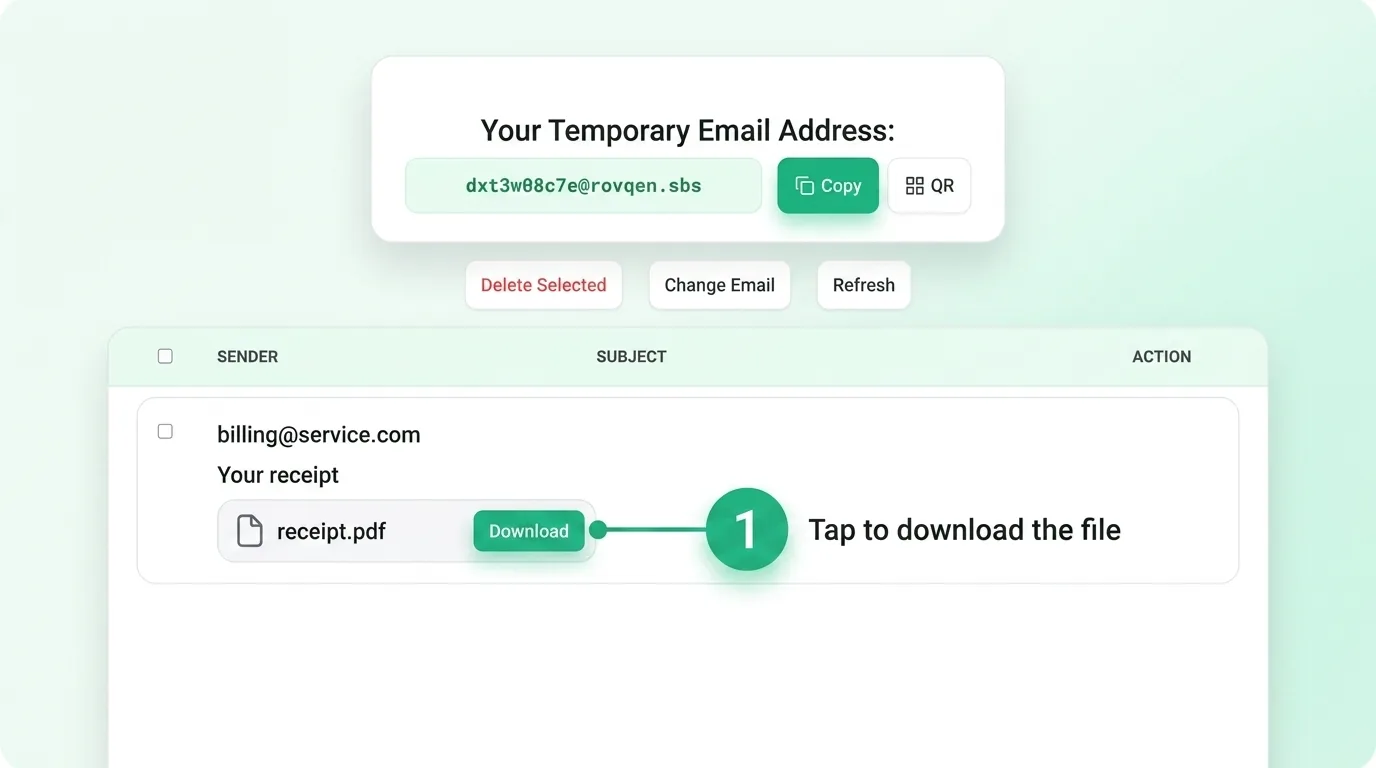
How to download a file
- Open the message that has the attachment.
- Find the file name, like receipt.pdf, near the bottom of the message.
- Tap the Download button next to it to save the file to your device.
The file saves to your usual downloads folder, the same as any other download. On a phone, look in your Files or Downloads app to find it after the save finishes.
Stay safe with files
Only download files from senders you know and trust. A file from a stranger can carry malware, just like on any email service. If you are not sure, do not open it. Watch out for files that end in odd ways, like a name that looks like a photo but ends in a program type. When in doubt, delete the message and move on. For more habits like this, read our email security tips and whether temp mail is safe.
What kinds of files you might get
Most attachments you will see are harmless and expected: a receipt after a purchase, a boarding pass, a coupon, or a short guide a site sends new users. These are fine to download when you asked for them. Be more careful with files you did not expect, since a throwaway inbox can still catch junk mail. If a file feels off, trust that feeling. You can always grab a fresh address and start clean, which also helps you avoid spam down the road.
A quick safety checklist for files
- Did you ask for this file? If not, be careful before you tap Download.
- Do you know the sender? A known site is safer than a stranger.
- Does the file name make sense? A receipt should look like a receipt, not a program.
- Not sure? Delete the message instead of opening the file.
These few checks take a second and keep you out of most trouble. A temporary inbox works the same way a normal one does, so the same care applies. When you are done reading, you can let the whole inbox expire and start fresh whenever you need to.
Common questions
Where does the file save?
To your device's normal downloads folder, just like any other file from the web.
Is downloading a file safe?
It is as safe as the sender. A file from a site you trust is fine; a file from a stranger is not worth the risk.
Can I get the file back after the inbox expires?
No. Once the timer ends, the message and its file are gone, so download it while it is there.
Download your attachment before the timer ends
Remember that your inbox is short-lived. Once the timer runs out, the message and its attachment are gone for good. So download anything you need right away, then let the inbox expire. Need an inbox now? Open a free one and check your mail.